

Catch 22 Adaptive Gaming Interface Overview
The Catch 22 interface is an adaptive gaming interface that allows users to plug in adaptive switches for replacing the buttons on a standard controller and adaptive USB joysticks to replace the joysticks on a standard controller. The interface has 18 adaptive switch ports for plugging in adaptive switches and 4 USB ports for plugging in USB devices such as adaptive joysticks. Three of the USB ports allow for control of the left joystick, right joystick, and arrow buttons. One of the USB ports allows users to plug in a standard game controller to act as a “helper” gamepad. This can be used similar to Controller Assist to allow a standard controller to be used alongside accessible buttons and joysticks. The user will need to plug in a separate joystick or switch for every input they need to play a game. One of the switch ports on the Catch 22 interface labeled “Walk” will function as a walk forward button when a switch is plugged in and held down (holding the left joystick forward). This can be helpful for reducing controls needed in two joystick games.
The Catch 22 interface is available for the Nintendo Switch/Switch 2, PlayStation, and Xbox. The Nintendo Switch version will be a cheaper alternative to the Hori Flex, and the PlayStation version is a good option for someone who needs more adaptive inputs than the PlayStation Access Controller has to offer (which only has 4). The Xbox version will function similar to the Xbox Adaptive Controller, so there is no real benefit over the Xbox Adaptive Controller. Please see the video above for an overview of the Catch 22 interface.
Ordering
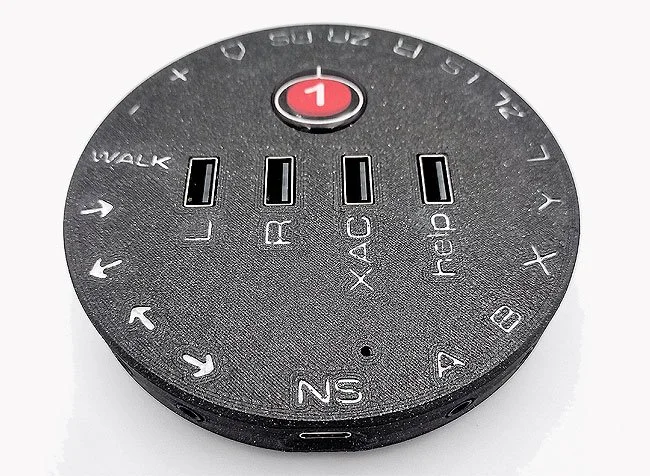
The Catch 22 interface can be purchased from OneSwitch. They have a separate page to order the Nintendo Switch/Switch 2, PlayStation 5, and Xbox compatible versions. The interface has similar compatibility to the Xbox Adaptive Controller for USB joysticks. Please note that the joysticks with the 3.5mm stereo jacks are not directly compatible with this controller. Any standard adaptive switch will work with the switch ports. For the “help” USB port, the Catch 22 interface will work with a PS4 Dualshock, PS5 Dualsense, HORI controllers, wired Switch Pro Controller, and some other generic controllers. See below for resources for getting compatible joysticks and switches compatible with the Catch 22 interface.
Compatible Joysticks and Switches
-
![]()
SevenMileMountain
SevenMileMountain is a company on Etsy that sells unique and affordable options for joysticks and switches compatible with the Catch 22. Please note that only the USB joysticks are compatible.
-
![]()
OneSwitch
OneSwitch is a UK company that sells custom options for joysticks compatible with the Catch 22 interface. They can be more expensive but is worth exploring for different joystick options. You must email them to request most devices listed on their site.
-
![]()
Logitech Adaptive Gaming Kit
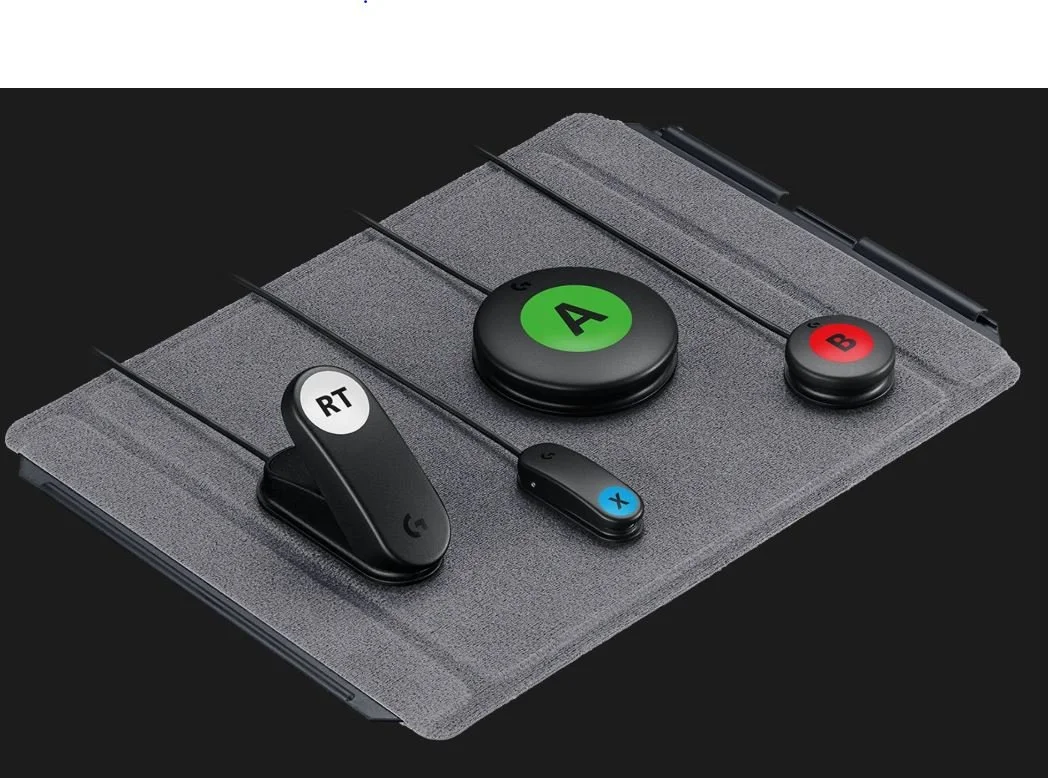
The Logitech Adaptive Gaming Kit is a set of accessibility switches that can be used with the Catch 22. It is a great affordable option for getting switches, as it comes with a set of twelve switches for around $100. This comes out to around $8 per switch, which is considerably cheaper than the price of individual switches through other sites.
-
![]()
Xbox Adaptive Joystick
The Xbox Adaptive Joystick is a handheld joystick with buttons that is compatible with the Catch 22. The joystick functions when plugged into the USB ports on the Catch 22. However, not all buttons may be functional when plugged into the Catch 22.
-
![]()
HitClic
HitClic is a company that sells many different 3D printed options for adaptive USB joysticks and switches compatible with the Catch 22. They are based out of France, but do ship to the United States.
-
![]()
Quadstick
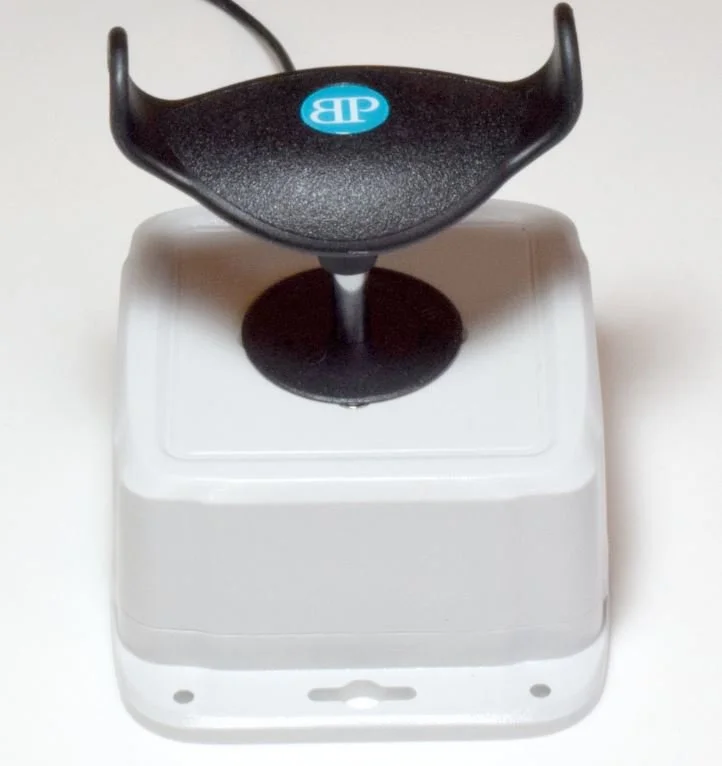
Quadstick sells the Ultimarc Ultrastik which can be fitted with a T-bar attachment identical to the one used on power chairs. This option is more expensive but might be good for those who want something similar to their power chair controls.
-
![]()
Makers Making Change
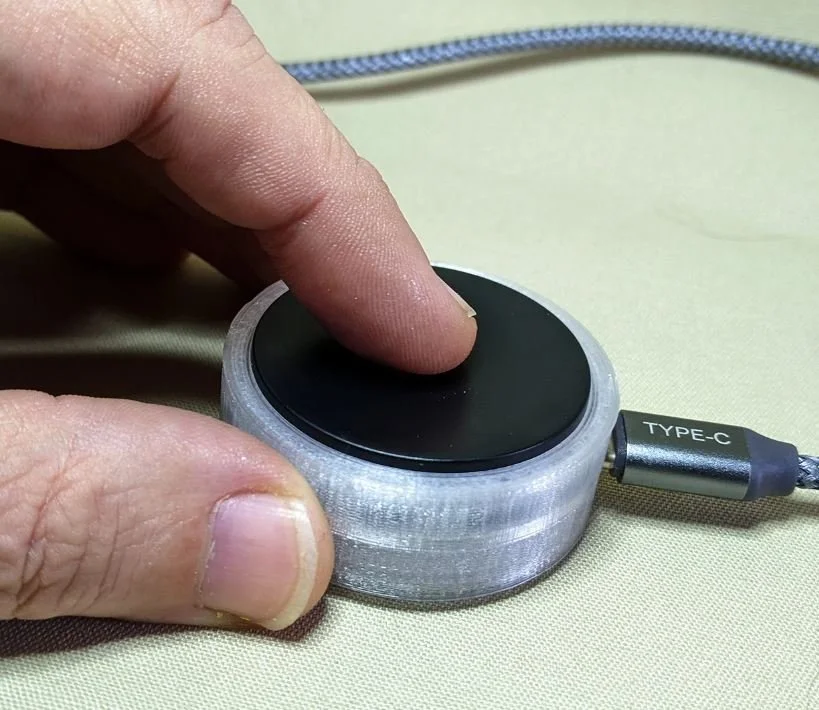
Makers Making Change is an organization that has a list of affordable 3D printed adaptive USB joysticks and switches that are compatible with the Catch 22. The items can be requested through their site, and they will connect you with a local maker to that will assemble them for you.
-
![]()
Celtic Magic
Celtic Magic is a UK-based company that makes adaptive joysticks and switches. They have light touch options available for those with limited strength.
-
![]()
Ultra Joystick
The Ultra Joystick is sold by InclusiveTLC and it is compatible with the Catch 22. However, the price point is much higher compared to other available joystick options.
-
![]()
X-Keys
X-Keys has multiple adaptive switch options and even sells a joystick that is compatible with the Catch 22. The switches are more expensive than the Logitech switches but still cheaper than most accessibility switches on the market.





Setup
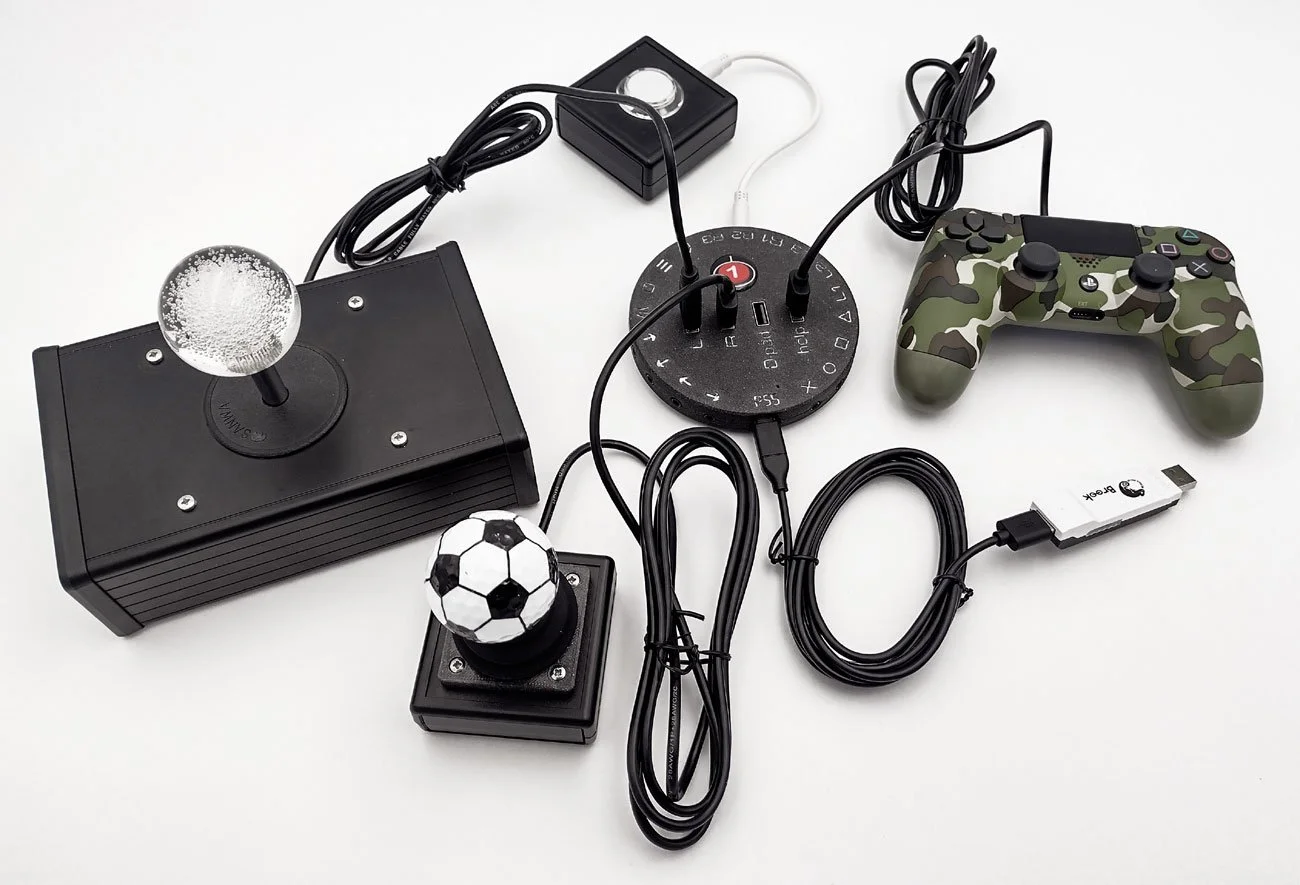
The Catch 22 interface is plug-and-play with each respective gaming console out of the box. Simply plug the adaptive switches, joysticks, gamepads into the Catch 22 and then plug the Catch 22 into the compatible console. The Catch 22 interface cannot be used wirelessly and needs to be directly plugged into the console. If using it with the Nintendo Switch console, Pro Controller Wired Communication will need to be turned on first. To do this go to System Settings > Controller and Sensors > Turn On Pro Controller Wired Communication. Users can customize the button mappings on the Catch 22 interface using the online configuration tool. To use the tool, plug in the Catch 22 into the computer, click Open device and click on the device, then click on Load device to see the current mappings, and after making changes click Save to device. However, this can mess up button mappings if not done correctly, so make sure to be careful if you make changes in the program.